
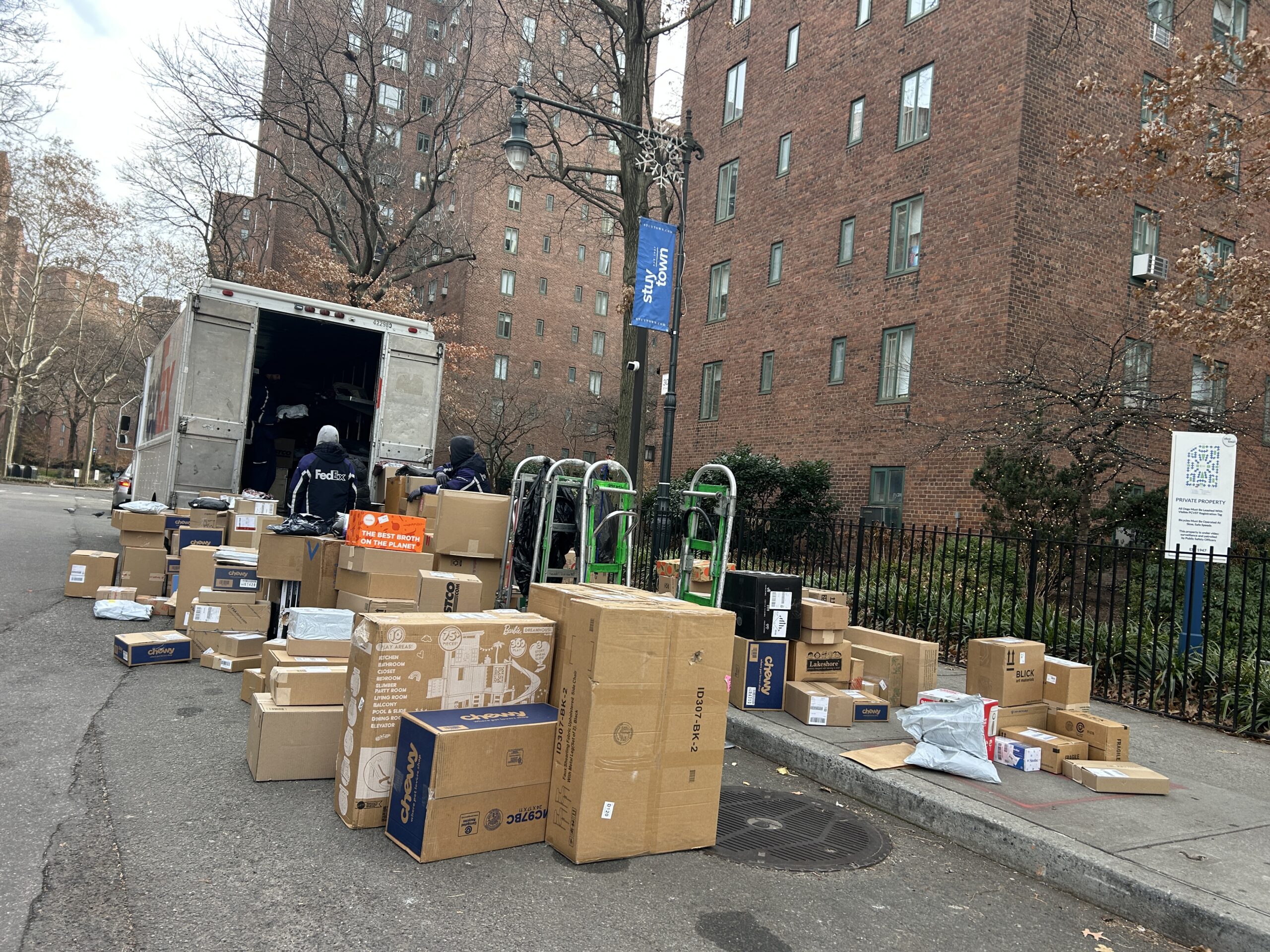

Setting up a smart mailroom isn’t just a technology upgrade—it’s an opportunity to positively rewire your operations. Done right, it transforms package management into a streamlined, self-service workflow that saves staff hours and improves resident satisfaction. Done poorly, it creates bottlenecks, confusion and new administrative burdens.
23.4 billion packages were shipped in the U.S. in 2025, a 4.5% increase from 2024. Multifamily complexes are feeling the burden. Communities that implement a comprehensive Multifamily Package Delivery Solution in the right way will be set up for success, even as package volume continues to grow.
In this guide, we’ll walk through exactly how to set up a smart mailroom using a clear, three-phase roadmap: Planning (Weeks 1-4), Setup (Weeks 5-8), and Launch (Weeks 9+). From budgeting to resident communication, here’s how to execute your plan without disruption.
Steps to Build a Smart Mailroom System
Here’s a quick preview of the steps that this article will outline.
- Assess current package volume and staffing impact
- Select system type: package room, lockers, hybrid
- Prepare the physical space and infrastructure
- Install and pilot test technology
- Launch with structured resident communication
Phase 1: Planning (Weeks 1-4)
Assess Current Situation
Week 1: Every good plan for how to modernize a package room begins with an assessment of the current situation. When it comes to package management, here’s a list to start with:
- Average Package Volume: Document the volume of incoming packages for a few weeks. This will allow you to arrive at a true average.
- Peak Package Volume: Increase the Average Package Volume number by 80% to arrive at the expected volume during peak shipping periods.
- Staff Hours: Identify how much time staff spend managing packages. Account for the time spent from package delivery to pickup.
- Resident Perspective: Have staff engage with residents to understand their expectations for package pickup.
Choose System Type
Weeks 2-3: When implementing smart mailroom technology, it’s important to understand the key types of package management solutions, so you can identify which one will work best for your property.
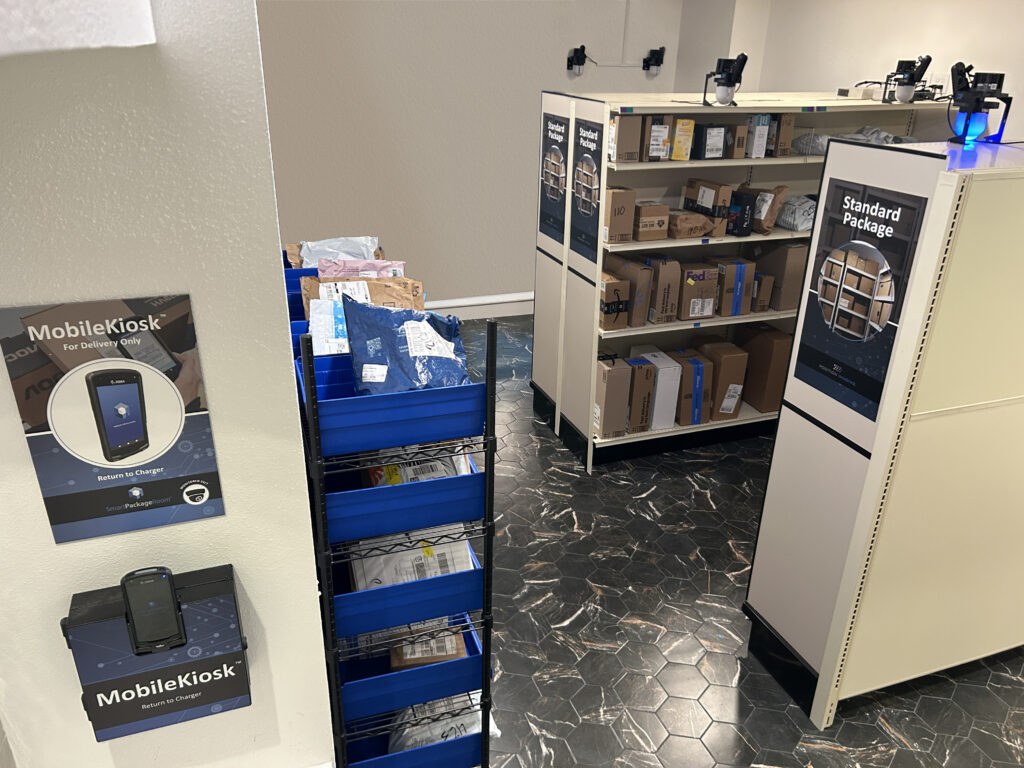
- Smart Rooms: Smart rooms, such as the Smart Package Room system, are all-in-one solutions that digitize mailroom package management. They tend to feature access-controlled doors with secure, 24/7 QR-code entry for residents. Packages are stored in organized areas that correspond to package type and size. Technology such as light, laser and audio guidance directs residents to their package for quick pickup.
- Lockers: Smart lockers are secure storage units that allow couriers to deliver packages into individual, electronically accessed compartments. They provide structured organization for small and medium-sized packages. Residents receive automatic notifications and can access them 24/7.
- Hybrid: Due to some limitations of lockers systems—fixed capacity, size limitations, bulky hardware—some properties choose to invest in both smart rooms and lockers.
Whether you choose to invest in smart rooms or lockers, it’s important to understand the benefits and tradeoffs of both systems. While costs vary depending on property size and type, operators consistently report measurable labor savings and reduced package disputes within the first year.
Budget and Vendor Selection
Week 4: The final task of the planning phase of setting up a smart mailroom is to identify the budget you are willing to spend and select the right vendor. Get multiple quotes and check references with other multifamily properties to identify the right partner.
Phase 2: Setup (Weeks 5-8)
When installing a smart mailroom solution, focus on making the room operationally-sound before any hardware (shelving, lockers, presence sensors, etc.) arrives.
Prepare Physical Space
Weeks 5-6: Start with lighting. The space should be evenly illuminated to support package scanning, presence sensor visibility and resident safety. LED overhead lighting is preferred.
Next, confirm dedicated power access for the Smart Package Room system or smart lockers. Ideally on a non-switched circuit with surge protection, for access control panels, presence sensors and charging stations. Reliable network connectivity is critical.
Evaluate traffic flow from both the courier and resident perspectives. Confirm compliance with local fire code, ADA accessibility standards and courier access policies before finalizing layout.
Install and Configure
Weeks 6-7: The next step in the smart mailroom setup process is to focus on deployment. Install hardware, including lockers or shelves, access control readers, presence sensors and scanning kiosks. Confirm proper anchoring and tamper resistance.
Work with the vendor to configure the back-end software platform, including features such as user roles, customized configurations, notification settings, package tracking workflows. Integrate with your property management system to sync resident data automatically.
Pilot Test
Week 8: Conduct a controlled pilot with a small resident group and primary carriers ahead of the full launch. Run live deliveries for 1-2 weeks and monitor access logs, notification timing and user feedback.
Use this data to identify friction points. Look for delivery confusion, slow scan times, peak-hour congestion effects or unclear signage. Work with vendors to resolve these issues before a community-wide rollout.
Phase 3: Launch (Week 9+)
Communicate with Residents
According to an NMHC Resident Preference Survey, 55% of residents consider package management services a key factor when choosing where to live. So they’ll notice a change in the package delivery solution. Once the package room or locker system is set up, another crucial step of implementing smart mailroom technology is communicating with residents.
Notify residents of the new system a few weeks before it goes online. This gives them time to become aware of the changes, and it gives you more than a few opportunities to communicate with them. Here’s what we recommend:
- Internal resident portal
- Emails or newsletters
- Signage on the front desk
- Signage near the current mailroom
- Video monitors in lobby or near elevators
- Community town halls
Use a combination of these tactics to get residents excited about their new smart mailroom setup. Let them know that this will make their lives so much easier when it comes to package pickup.

Launch Day
When launch day arrives, ensure there is extra staff on-site to engage with couriers and residents. Station them at the entrance of the package room or locker bay so they can answer questions and guide couriers and residents through the new process.
Monitor the initial response closely so you can track common challenges and solutions. Record issues so you can report them to the technology vendor.
Post-Launch Optimization
After 30 days, review your notes and make an objective assessment of how the system works. Consider delivery into the room, resident pickup, package flow, stale packages, and feedback from couriers, residents and staff.
Once you understand how the new system works, take steps to optimize performance. You can also review the takeaways with the multifamily package management vendor to have them support you in this step. They’re experts, after all.
Common Setup Mistakes
A good plan also ensures that you’re equipped with enough information to avoid common mistakes in the smart mailroom setup process. Here’s a quick list of what not to do:
- Don’t Skip the Pilot Phase: You may be eager to go live, but without the real-world experience of a pilot phase, you may become susceptible to large-scale issues that cost your property valuable time and payroll.
- Don’t Forget About Resident Communication: Residents want their packages secure, and their pickup fast. If you clearly communicate how the new Smart Package Room system or lockers work, residents will get on board much quicker.
- Don’t Launch During a Busy Period: Minimize package chaos by avoiding new technology launches during the busy holiday, move in and move out seasons.
Frequently Asked Questions About Setting Up A Mailroom for Multifamily Properties
- How do you set up a smart mailroom in a multifamily property? Setting up a smart mailroom typically follows a phased process. Property teams first assess package volume, staff workload and resident needs to determine the right system type, such as access-controlled package rooms, lockers or a hybrid solution. Next, they prepare the physical space with proper lighting, power and network connectivity before installing package management hardware and software. After installation, it’s recommended to conduct a short pilot test before launching the system community-wide with resident communication and staff training.
- What features should a smart mailroom system include? A modern smart mailroom system should include digital package delivery, automatic resident notifications, secure access-controlled entry, and package tracking technology. Many advanced systems feature package scanning tools like optical character recognition (OCR), presence sensors for monitoring the movement of people and packages within the room, and reporting dashboards that track package volume, pickup patterns and delivery activity.
- What mistakes should property managers avoid when setting up a smart mailroom? One common mistake when implementing smart mailroom technology is skipping the planning and pilot phases. Without properly assessing package volume and testing workflows, properties may encounter congestion, delivery confusion or resident frustration. Other common mistakes include insufficient resident communication before launch, and installing systems during peak delivery periods such as holidays or move-in season.
The Bottom Line on the Smart Package Room Setup
Setting up a smart mailroom is a phased operational initiative, not a quick installation. Properties that methodically assess package volume, select the right system, prepare infrastructure, pilot test workflows, and communicate clearly with residents minimize disruption and maximize long-term performance. Rushing any stage of the smart mailroom setup process often creates downstream challenges that are more costly to correct later. A structured rollout protects your investment, supports staff adoption and ensures scalability as delivery volume continues to grow. By following this structured implementation plan, you’ll be likely to see measurable operational improvements within the first 90 days.
The Smart Package Room team partners directly with multifamily developers and their teams to guide planning, installation, and optimization. Schedule a strategic consultation to evaluate how a smart mailroom system can align with your property’s operational goals.